

How to Order McDonald’s: App, Kiosk, Counter and Drive-Thru Guide
To learn how to order McDonald’s in Canada, use the app, McDelivery, a kiosk, the counter, or drive-thru. Choose food, select dine-in, takeaway, pickup, or delivery, pay, and keep your order details. Select the restaurant first, review your total, and follow the screen or collection instructions. Services vary by restaurant, time, and method.
👉 Check Complete McDonald’s Menu
Information checked: July 2026
Independent guide; not affiliated with McDonald’s Canada.
| Ordering method | Best for | How you pay | How you receive the food |
|---|---|---|---|
| Mobile app | Ahead | In-app | Drive-thru, curbside, counter |
| Delivery | Home/hotel | App/platform | Courier |
| Kiosk | Browsing | Kiosk/counter | Counter/table |
| Front counter | Help/cash | Methods | Dine-in/takeaway |
| Drive-thru | Drivers | Window/app | Window |
How to Order McDonald’s Through the App
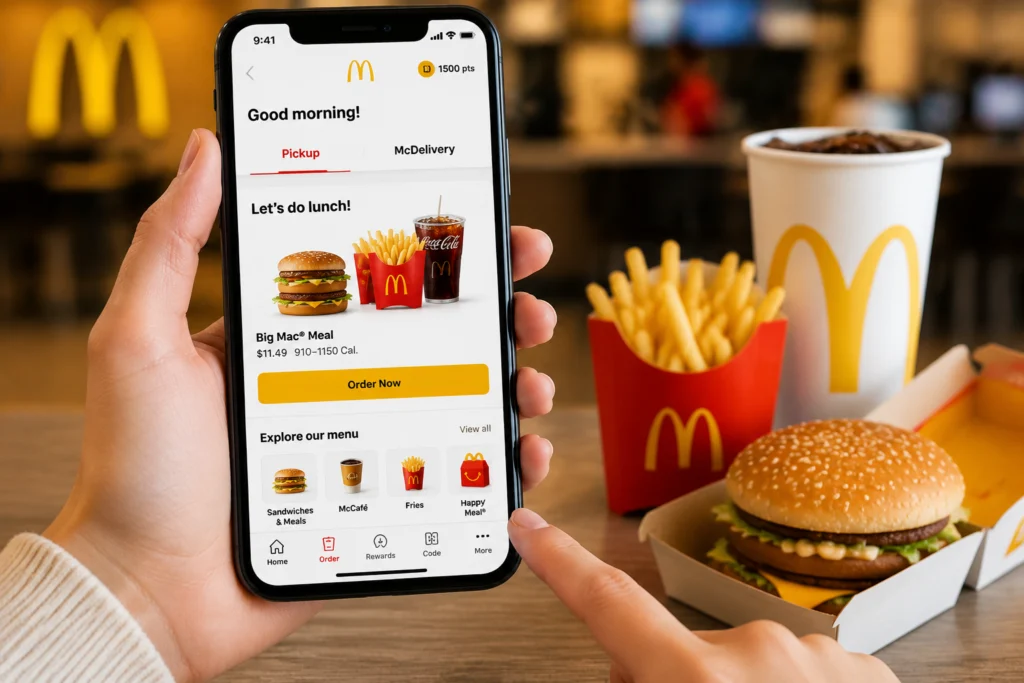
- Open the Canadian app.
- Register/activate.
- Enable/enter your location.
- Select a restaurant.
- Choose pickup or McDelivery.
- Add menu items.
- Customize ingredients, size, side, and drink.
- Apply a deal or reward.
- Select a payment method.
- Check the restaurant, total, and fulfilment method; order and follow the tracker, check-in, or code.
Pickup may include Drive-Thru, Curbside Service, or Front Counter. Use the app guide and rewards.
How to Order McDonald’s for Delivery
Choose McDelivery, enter your address and phone number, add food and instructions, check the estimate, then review prices and fees before ordering.
In-app delivery is fulfilled by DoorDash. McDonald’s lists DoorDash, Skip, and Uber Eats. Delivery prices may exceed pickup. Report missing items through the service used.
How to Order at a McDonald’s Kiosk
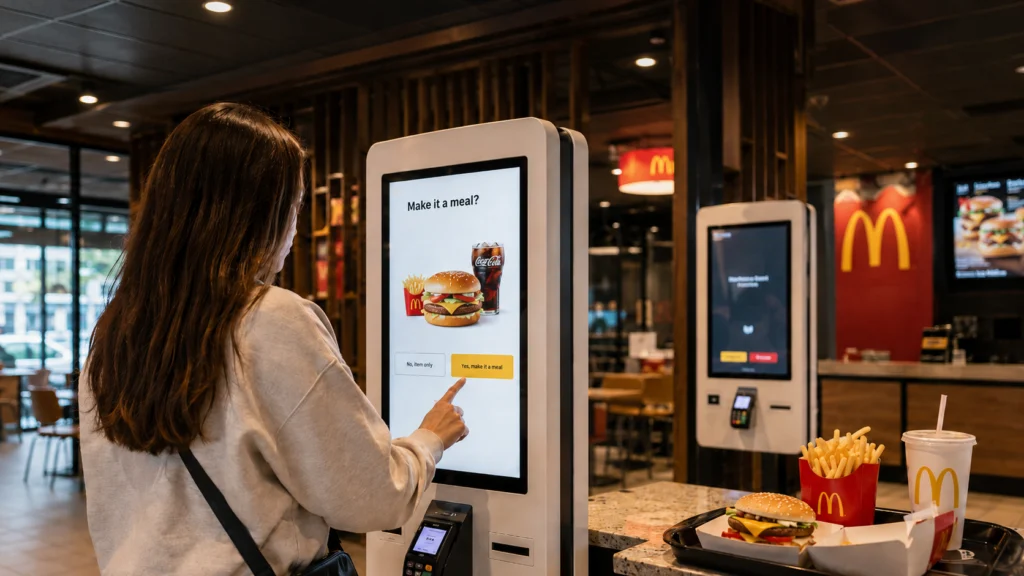
- Touch screen and choose a language.
- Select dine-in or takeaway.
- Browse categories.
- Choose an item or meal.
- Select a size.
- Customize ingredients.
- Choose a drink and side.
- Review the basket.
- Scan a code when supported.
- Choose payment.
- Take receipt or note your number.
- Watch the screen or listen for your number.
For cash, select “pay at counter” if shown.
How to Order at the Front Counter
Say: “Hi, I’d like a [menu item or meal], please. Make it a [size] with [drink]. That’s for dine-in/takeaway.”
Say “the burger only” for one item. State changes: “no onions” or “extra pickles.” Ask about allergens and check ingredient and allergen information. Confirm, pay, keep the receipt, wait.
How to Order at the McDonald’s Drive-Thru
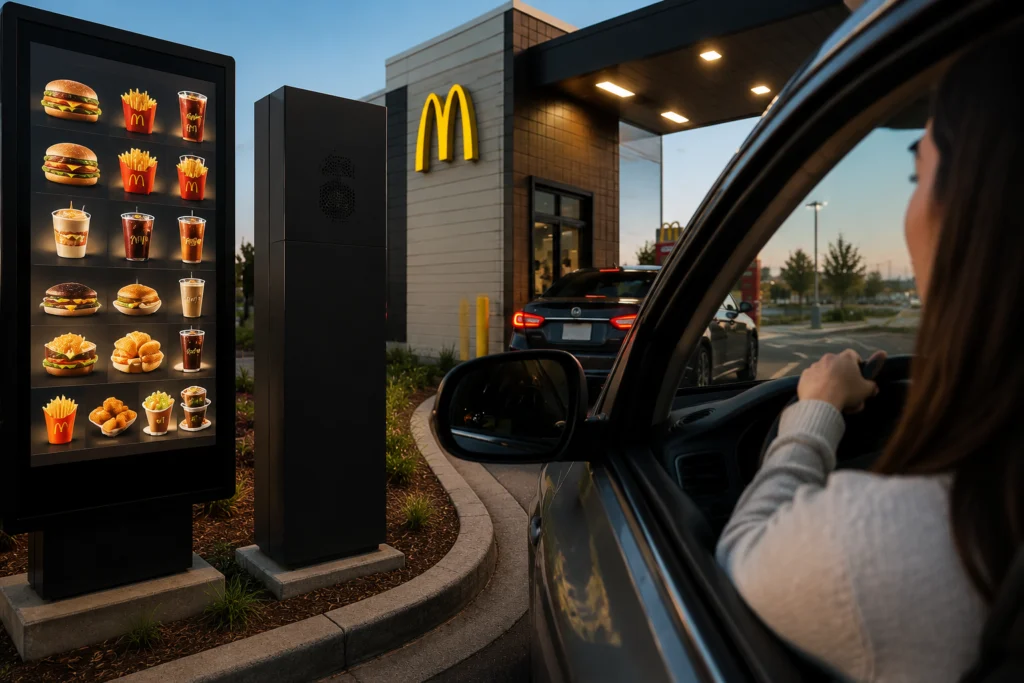
- Read the menu at the speaker.
- Give any mobile-order code first.
- Name the meal or item.
- Choose size, side, and drink.
- Confirm customizations.
- Listen to the repeated order.
- Pay at the first window.
- Collect food next.
- Check the bag before leaving.
Script: “Hi, can I get a [meal name], medium, with [drink]? Please remove [ingredient]. That’s everything, thank you.”
Never use the app while driving; prepare while parked.
How to Order Coffee, Burgers and Customized Meals
For coffee, state drink, size, and hot or iced: “A medium iced coffee with milk and no sweetener, please.” Ask which milk, cream, sugar, or syrup is offered. Compare the McCafé menu.
Order a burger “by itself” or “as a meal”; choose a side and drink. Check the burger menu or Canadian menu and prices. Customizations vary by item and channel. For breakfast, check the breakfast menu.
Common McDonald’s Ordering Problems and Solutions
| Problem | Solution |
|---|---|
| Restaurant missing | Enable location or try another restaurant. |
| Delivery/pickup unavailable | Try another address, time, or method. |
| Payment declined | Recheck details or use another method. |
| Kiosk freezes/receipt fails | Ask staff before paying again. |
| Wrong restaurant | Review before check-in or payment. |
| Missing item/delay | Show receipt; use support. |
| Deal/reward fails | Check expiry, eligibility, time, and combination rules. |
Frequently Asked Questions
How do you order a McDonald’s meal?
Choose a meal through the app, kiosk, counter, or drive-thru. Select its size, side, and drink, confirm ingredient changes, state dine-in or takeaway, pay using an accepted method, and keep the receipt or order number.
How do I order McDonald’s through the app?
Open the Canadian app, select a restaurant, choose pickup or McDelivery, add and customize food, apply a deal or reward, select a supported payment method, review the total, and follow the check-in or tracking instructions.
Can I order McDonald’s without using the app?
Yes. Order at a self-service kiosk, front counter, or drive-thru, or use an approved delivery platform. Available channels, payment methods, dine-in service, menu items, and operating hours vary by Canadian restaurant, location, time, and day.
How do I order at a McDonald’s kiosk?
Touch the screen, choose a language, select dine-in or takeaway, browse the menu, choose and customize an item, review the basket, pay using a method, collect the order number, and wait at the pickup area.
Can I pay cash when ordering McDonald’s?
Cash may be accepted at the counter or drive-thru, but options vary. Some kiosks offer counter payment; others show electronic methods only. Mobile and delivery orders require a payment method within the app or platform.
How do I order at McDonald’s in English?
Say: “Hi, I’d like a medium Big Mac meal with Coke, please. No onions. That’s for takeaway.” The employee may ask about size, drink, sauce, or dine-in. Listen carefully and correct any mistake before paying.
Can I customize a McDonald’s order?
Yes, many items support changes such as removing onions or sauce, adding pickles, or changing the side or drink. Choices vary by product, restaurant, and ordering channel, so review the complete basket carefully before paying.
Can I order McDonald’s for pickup?
Yes. Select a Canadian restaurant in the app, choose pickup, build and pay for the order, then follow the check-in instructions. Pickup may be available at the drive-thru, front counter, or curbside, depending on location.
The app works for ordering ahead, kiosks simplify visual customization, the counter provides staff help, and the drive-thru keeps you in the car. First-time customers should check the restaurant, fulfilment method, customizations, total, receipt, and order number before leaving. That is the way to understand how to order McDonald’s confidently.


